
Download Macrorit Disk Partition Expert Free – Disk Partition, Partition Manager, Disk Management
Overview
Macrorit Disk Partition Expert Free is a dedicated utility designed for Windows users seeking reliable and efficient disk management solutions. The application addresses common challenges related to disk space allocation, file system compatibility, and system performance optimization. It enables users to create, resize, and manage disk partitions with minimal technical expertise, making it suitable for both novice and intermediate users. By offering a streamlined interface and one-click operations, the app simplifies complex tasks such as partition creation and file system conversion, reducing the risk of human error during critical system operations.
The tool is particularly beneficial for individuals managing large storage drives, those upgrading their systems, or users preparing devices for cross-platform compatibility. It supports tasks like converting NTFS to FAT32 without data loss, a crucial function for transferring files between Windows and non-Windows systems. Additionally, the inclusion of automatic defragmentation helps maintain optimal disk performance over time. The app is positioned as a free alternative to premium partitioning tools, providing essential functionality without cost.
Developed by Macrorit Technology, the application reflects a focus on usability and reliability. While the developer did not provide additional technical details about the underlying architecture or integration with Windows system services, the app’s consistent release cycle and stable versioning suggest ongoing maintenance. It plays a key role in the Windows utility ecosystem by offering accessible disk management tools that empower users to take full control of their storage infrastructure.
Key Features & Functionality
- One-Click Partition Creation: Users can generate new partitions with a single action, eliminating the need for complex manual configurations. This is ideal for quickly allocating space for new software installations, backups, or data segregation.
- Data Protection During Operations: The application includes safeguards to prevent data corruption during partitioning, particularly useful in unstable power environments or long-running processes.
- NTFS to FAT32 Conversion: Enables seamless file system migration while preserving existing data, enhancing compatibility with devices such as cameras, game consoles, and older operating systems.
- Automatic Disk Defragmentation: Optimizes file placement across the disk to improve read/write speeds and overall system responsiveness, especially on mechanical hard drives.
- Unlimited Partition Creation: Allows users to divide their storage into as many partitions as needed, supporting flexible data organization strategies tailored to personal or professional workflows.
These features collectively support real-world scenarios such as preparing a dual-boot system, reorganizing a cluttered drive, or ensuring compatibility with external devices. The one-click interface ensures that users without advanced technical knowledge can perform tasks that traditionally required command-line tools or third-party software.
Interface, UX & Performance
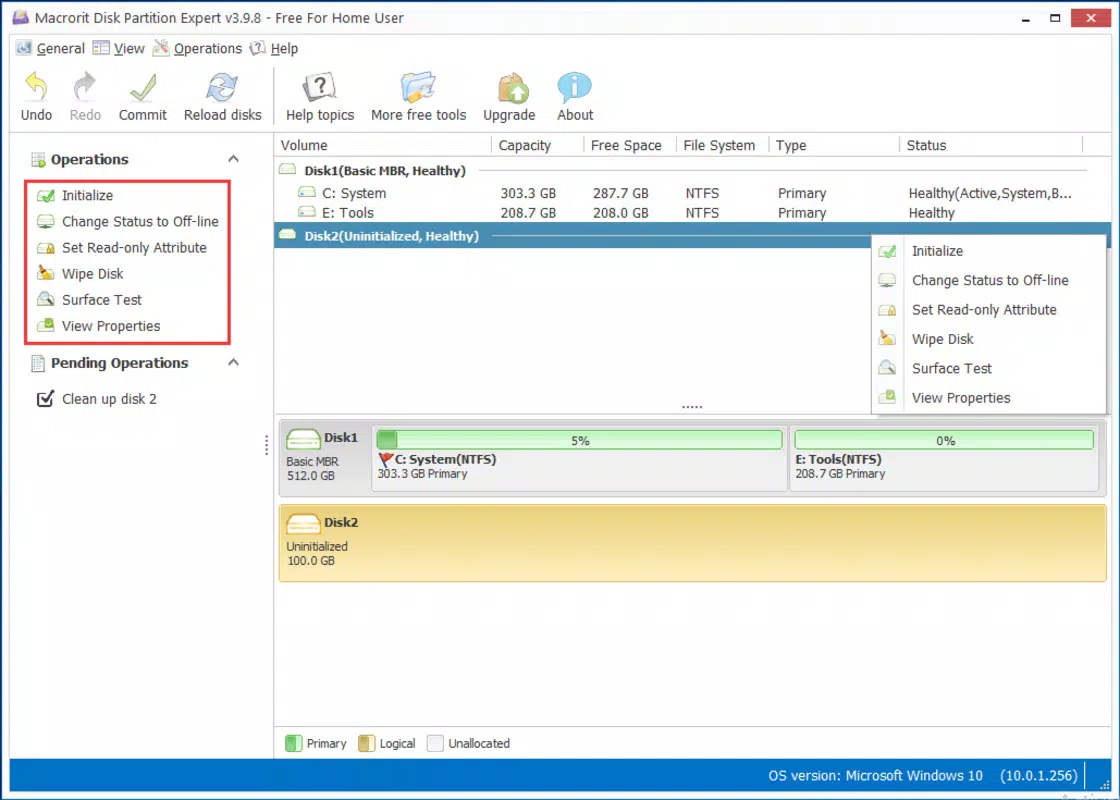
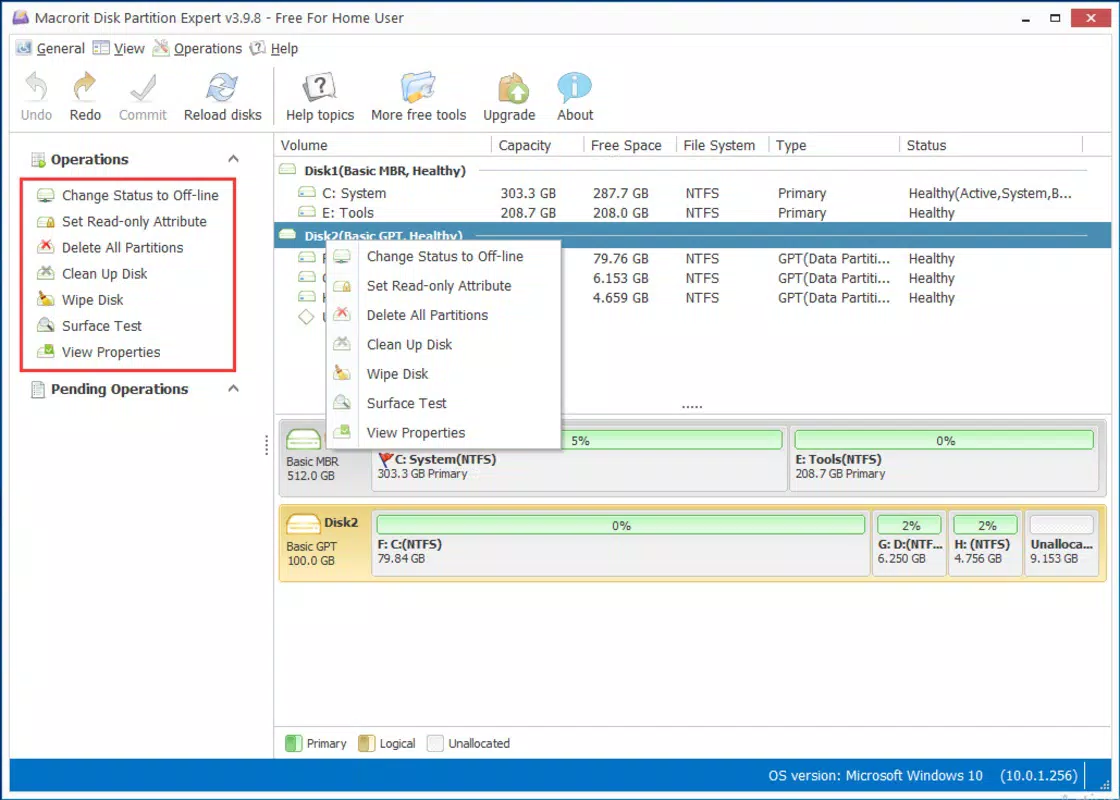
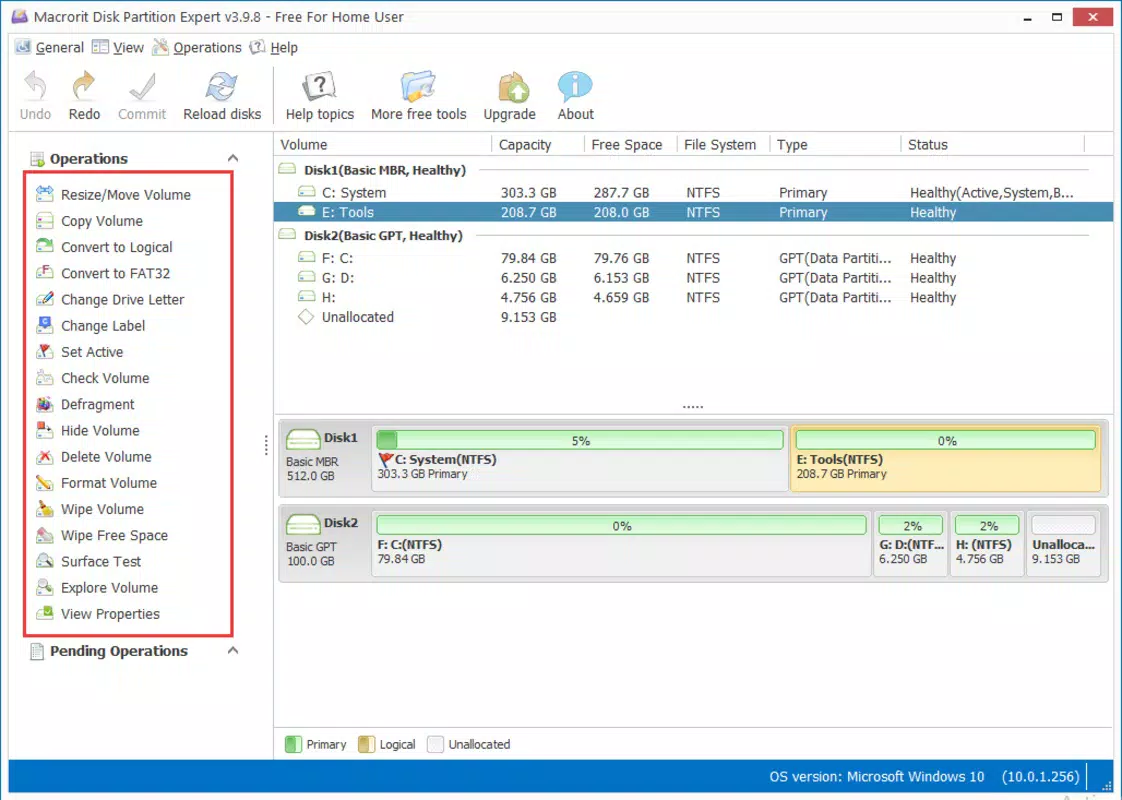
The user interface of Macrorit Disk Partition Expert Free is designed with simplicity and clarity in mind. It presents a clean, visual representation of disk drives and existing partitions, enabling users to easily identify and select target volumes. Navigation is straightforward, with clearly labeled buttons and a logical workflow that guides users through each operation.
Visual feedback is provided during processes such as partition creation or defragmentation, helping users track progress and anticipate completion times. The application maintains a responsive layout across different screen resolutions, ensuring usability on both standard monitors and high-DPI displays. Although the developer did not list formal performance metrics, the tool operates efficiently without excessive resource consumption during typical tasks.
Performance on various device categories—such as desktops, laptops, and systems with older hardware—has not been publicly documented. However, the lightweight file size of 33.5 MB suggests optimized resource usage. Stability during extended operations, such as large-scale defragmentation or multiple partition changes, is implied by the data protection mechanisms in place. Users can expect consistent behavior without frequent crashes or freezes, though real-world performance may vary based on system configuration and disk type.
Platform Compatibility & Technical Requirements
Macrorit Disk Partition Expert Free is designed exclusively for the Windows operating system. It is compatible with Windows platforms, though specific OS versions were not listed by the developer. The application has a file size of 33.5 MB, which is relatively small, indicating efficient packaging and minimal storage overhead.
Users should ensure their system meets the basic requirements for running Windows applications, including sufficient RAM and disk space for temporary files during operations. The developer did not specify minimum OS requirements, nor did they provide information on support for older Windows editions or future updates. Compatibility with different hardware configurations, including SSDs and external drives, was not fully disclosed.
Given the app’s nature as a disk-level utility, it may require elevated privileges to execute certain functions. Users should be aware that some operations may trigger system prompts or require administrator access, which is standard for such tools.
Pros and Cons
Pros
- Free to download and use, making it accessible to a wide range of users.
- Intuitive interface with one-click functionality for common tasks.
- Supports data protection during partitioning to prevent loss.
- Enables NTFS to FAT32 conversion without data deletion.
- Includes automatic defragmentation for improved disk performance.
- Allows unlimited partition creation for flexible storage management.
Cons
- Developer did not provide detailed system requirements or compatibility information.
- Specific OS versions supported were not listed.
- Limited documentation or in-app guidance for advanced users.
- May require administrator privileges for full functionality.
- Performance on older or low-resource systems was not verified.
FAQ
Is Macrorit Disk Partition Expert Free safe to use?
Yes, the application is designed to protect data during operations. It includes safeguards against unexpected interruptions like power loss. However, users are advised to back up critical data before performing any disk-level changes.
Can I use this tool on older versions of Windows?
The developer did not specify which Windows versions are supported. It is recommended to check system compatibility before installation.
Does the app require administrator rights?
Yes, certain functions such as partitioning and defragmentation typically require elevated privileges to access disk-level operations.
Is the free version fully functional?
Based on available information, the free version includes core features like partition creation, file system conversion, and defragmentation. However, advanced features may be limited or restricted.
How often should I defragment my disk using this tool?
For mechanical hard drives, defragmentation can be performed periodically—such as monthly—depending on usage. SSDs do not benefit from defragmentation and should not be processed by this tool.
Final Thoughts
Macrorit Disk Partition Expert Free delivers a powerful yet accessible solution for managing disk partitions on Windows systems. Its one-click interface, data protection mechanisms, and support for essential tasks like file system conversion and defragmentation make it a valuable tool for both casual users and IT professionals. While the lack of detailed compatibility and system requirement information is a limitation, the app’s lightweight footprint and free pricing model enhance its appeal.
Users who need to organize disk space, improve system performance, or ensure cross-device compatibility will find this utility highly effective. It fills a critical gap in the Windows utility landscape by offering a reliable, no-cost alternative to commercial partition managers.
Download Macrorit Disk Partition Expert Free now


